How do I check a member's offers, stamps and history?
Open Members and press the member's name. Now shows what they can use today and what's coming next, History lists everything that's happened to them by day, and Details shows how to reach them. On a paid club, Membership shows what they pay. The ⋮ menu lets you message them, resend their pass or remove them.
Last checked 22 November 2026
Open Members and press the member’s name. Their page has tabs: Now for what they can use today, History for what’s already happened, Details for how to reach them, and, on a paid club, Membership.
At the top, on every tab, you’ll see Visits, Last seen and Offers used. A tag beside their name marks a Test signup, a free invite (Complimentary) or a gift membership.
What can they use today?
Section titled “What can they use today?”Open Now.
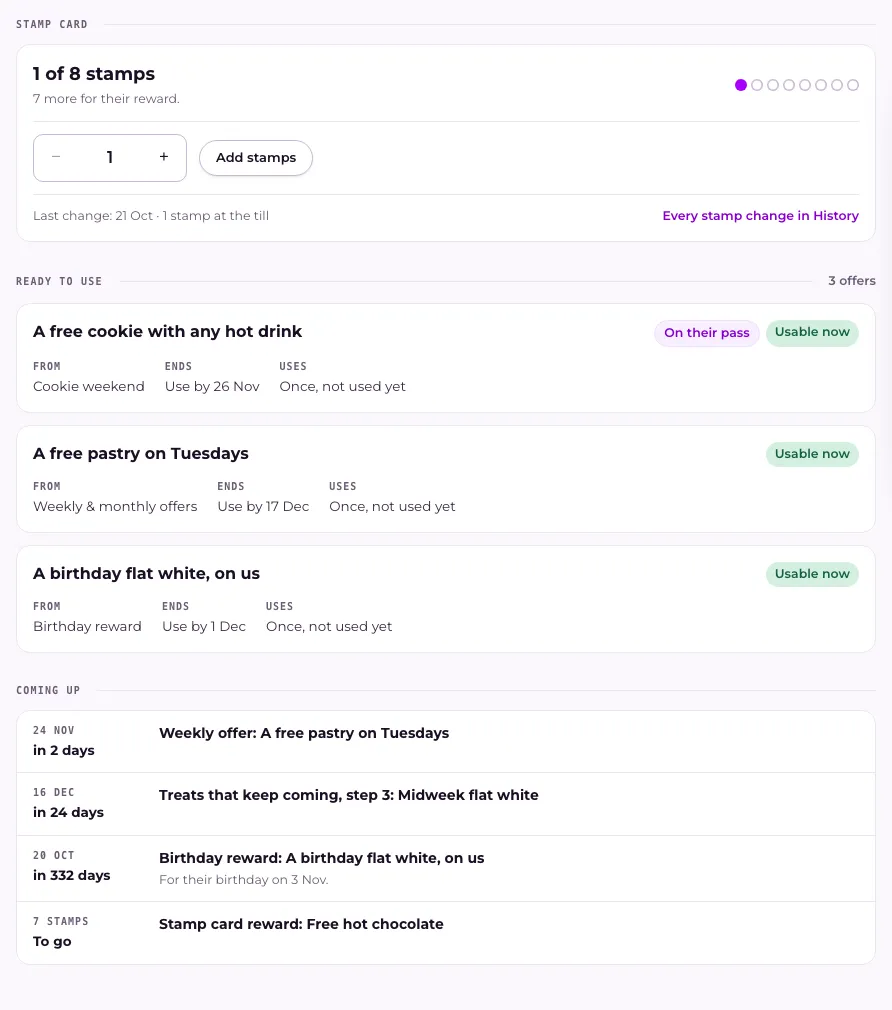
- Stamp card shows their stamps, with a Last change line. The club’s owner can add stamps here: see How do I add stamps a member already had?
- Ready to use lists each offer they hold: where it came from, when it ends, how many uses are left, and whether it works now. If not, it says why and when it opens. On their pass marks the one their pass is showing.
- Coming up is what we’ll give them next, and when. If something can’t go out, it says why. For a birthday treat they haven’t added, you’ll see Ask members for their birthday when your club doesn’t ask.
Why didn’t something reach them?
Section titled “Why didn’t something reach them?”Open History. It’s grouped by day with times. Use Everything, Offers, Stamps, Messages or Visits, pass and account to narrow it.
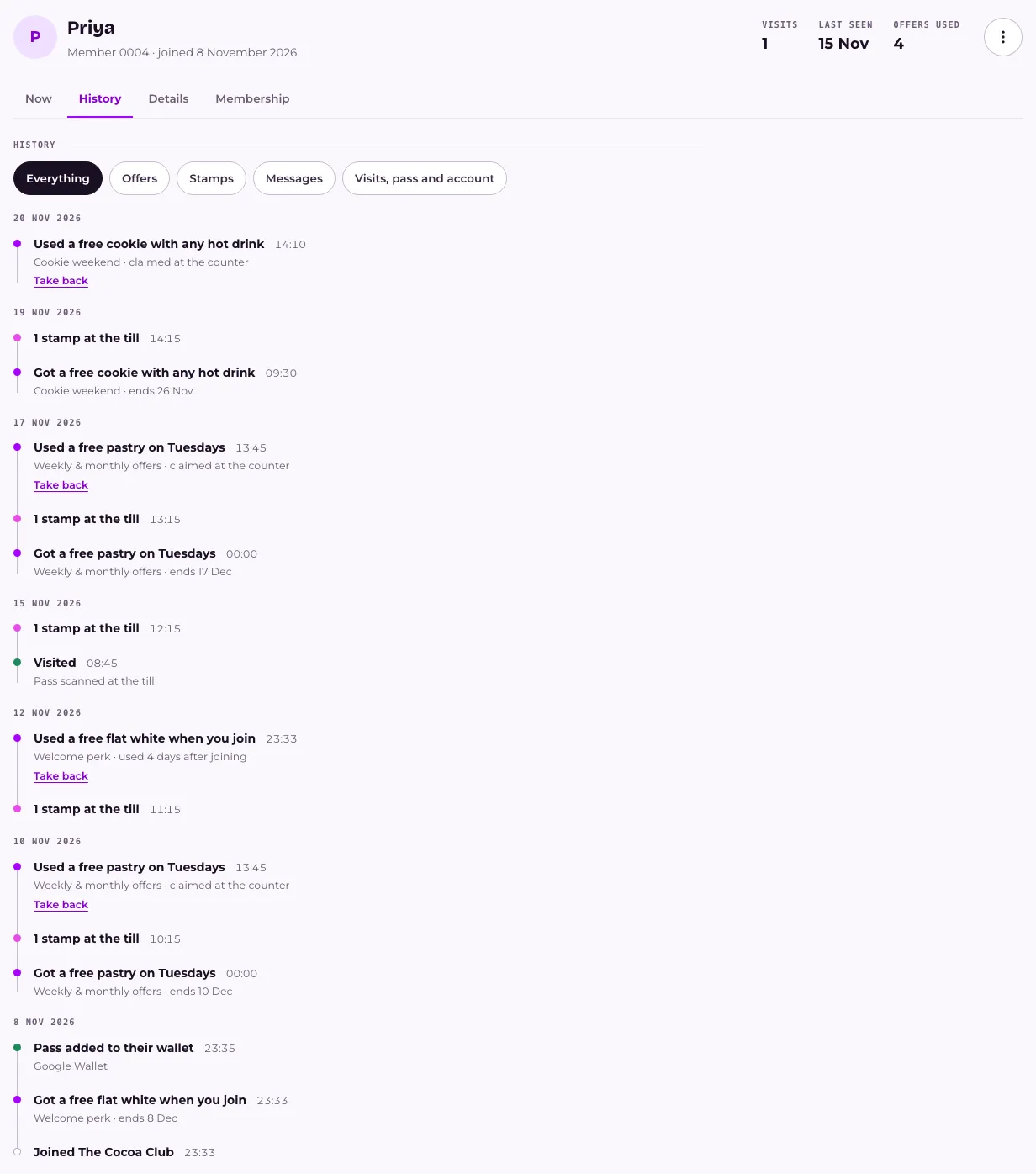
You’ll see offers they were given (Got …) and used (Used …), stamps, visits, and the emails, texts and wallet notifications we sent them, and whether an email or text was delivered. Press Show earlier to go further back.
To undo a use pressed by mistake, press Take back under it, then Take it back. It comes off your numbers and the member isn’t told. A one-off offer goes back on their pass.
Their details
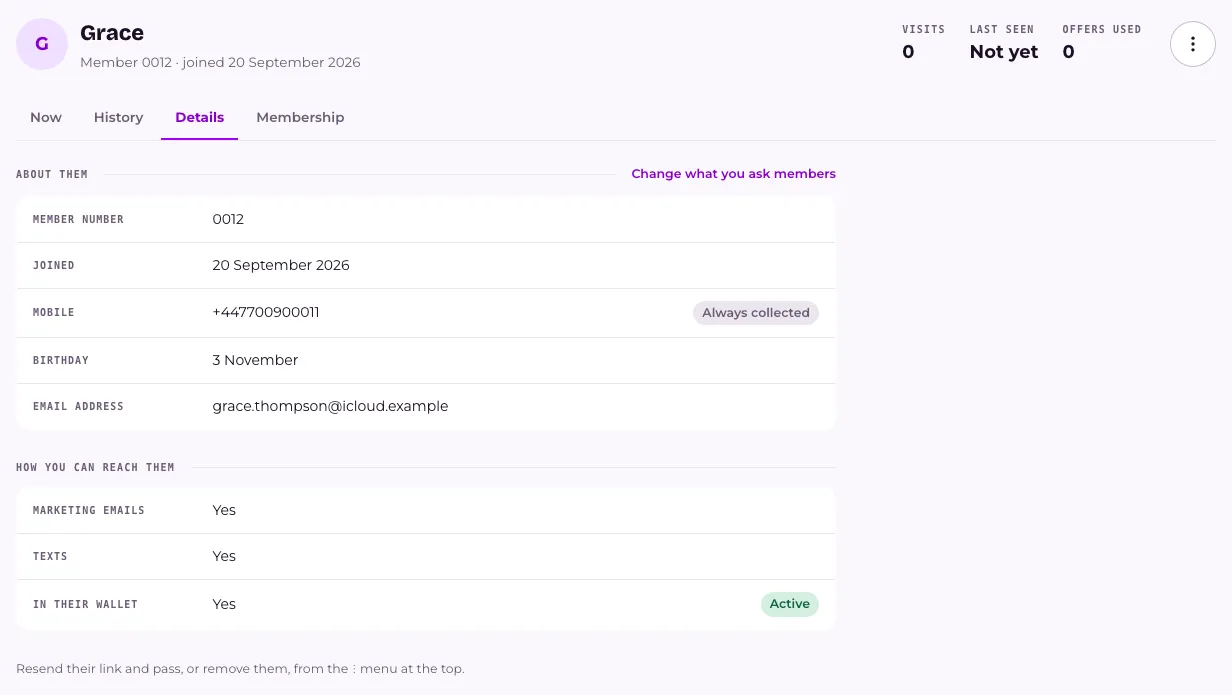
Section titled “Their details”Details has their member number, mobile and anything else your club asks. Under How you can reach them, Marketing emails and Texts say Yes, or when they opted out, and In their wallet says whether their pass is on their phone.
On a paid club, Membership shows their price, status and Next payment. See What does a member’s Membership status mean?
What you can do from here
Section titled “What you can do from here”Press ⋮ at the top of the page for:
- Message member: see How do I message just one member?
- Resend link & pass: see How do I resend a member’s pass link?
- Remove from club: see How do I remove a member from my club?
Related
Section titled “Related”© Flub 2026 | What's new | useflub.com
Flub is a trading name of FLUB INDUSTRIES LTD, a company registered in England and Wales (no. 17491066). Registered office: The Workstation, 15 Paternoster Row, Sheffield, S1 2BX, United Kingdom.