How do I add stamps a member already had?
Open the member's page from Members. Under Stamp card, choose how many stamps to add and press Add stamps. If the number is stamps they haven't used yet, every full card becomes a reward. If it's everything they've ever had, switch on Only their current card first, so only the stamps on their current card come across. Remove takes back stamps you added by mistake.
Last checked 23 November 2026
If a member had stamps on your old paper card or another app, you can add them to their Stamp Card from their page in Members. They keep their progress, and nothing is lost in the switch.
Before you start
Section titled “Before you start”Your club needs a Stamp Card switched on. Only the club’s owner sees Stamp card, on the Now tab of a member’s page.
- Open Members and press the member’s name.
- On Now, find Stamp card.
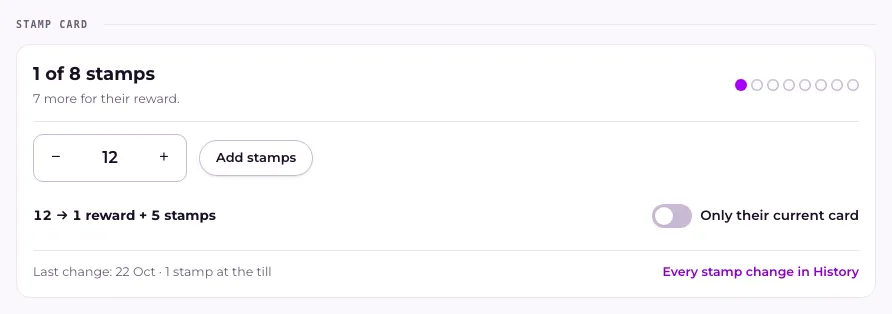
- Use − and + to choose how many stamps to add. Once that fills a card, a line shows what will happen, for example “12 → 1 reward + 5 stamps”.
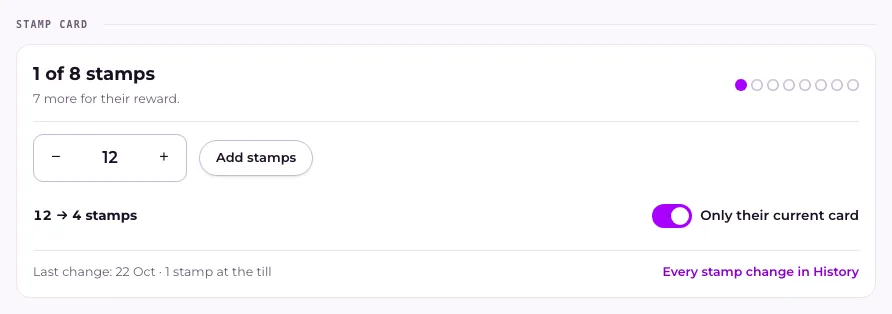
- If the number is everything they’ve ever had, switch on Only their current card.
- Press Add stamps. A message confirms how many went on, and how many rewards are ready.
What happens to stamps over a full card
Section titled “What happens to stamps over a full card”Stamps they haven’t used yet. Most apps take a reward off the count when it’s used. Leave Only their current card off, and every full card becomes a reward. If your card takes 10 stamps and you add 24, that’s 2 rewards ready on their pass, with 4 stamps on their next card. Staff give each one as they would for a card filled at the counter.
Everything they’ve ever had. They’ve had the rewards for their full cards already, so switch on Only their current card. Only their current card comes across: 24 on a 10-stamp card adds 4 stamps and no reward, and exactly 10 adds nothing. It never fills the card they’re on, so with 3 stamps already, 24 still adds just 4.
Stamps you add aren’t visits, so they don’t count towards your numbers on Home or How it’s going.
Took too many on?
Section titled “Took too many on?”Choose how many to take back and press Remove. You can only remove stamps you added this way, never ones staff gave at the counter. If the member has already used a reward from those stamps, or been stamped since, they stay.
Under the buttons, Last change shows the most recent one. Press Every stamp change in History to see them all: the date, who made them and how many.
Related
Section titled “Related”© Flub 2026 | What's new | useflub.com
Flub is a trading name of FLUB INDUSTRIES LTD, a company registered in England and Wales (no. 17491066). Registered office: The Workstation, 15 Paternoster Row, Sheffield, S1 2BX, United Kingdom.